Coverage
-
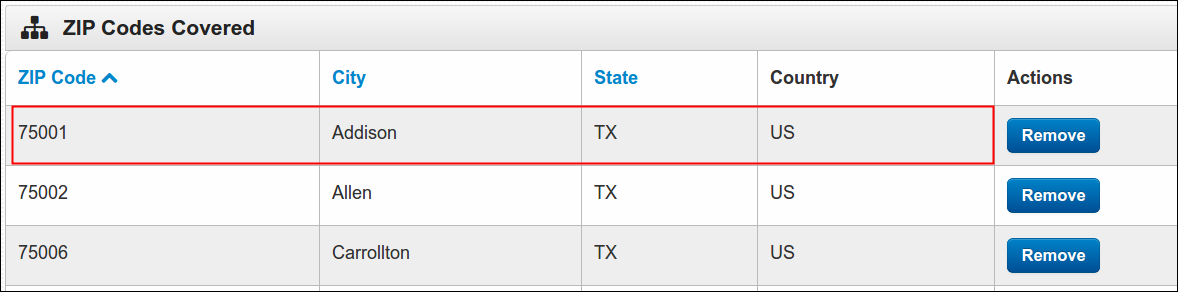
Coverage - These are the list of Zip Codes covered by Pageboy App. These Zip Codes represents the coverage of the services or products of Pageboy app.
-
First, log in using your Admin credentials.
-
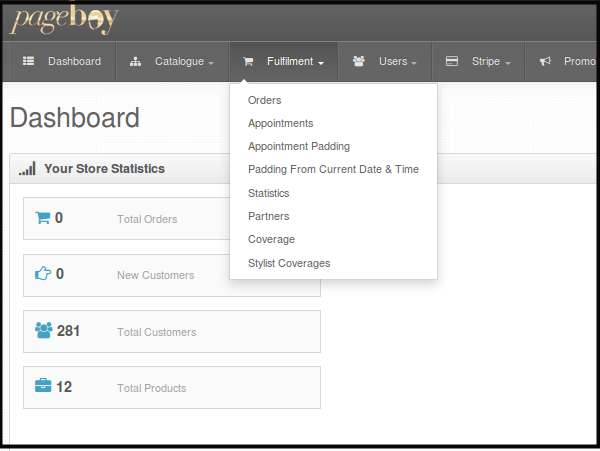
Click Fulfillment.
-
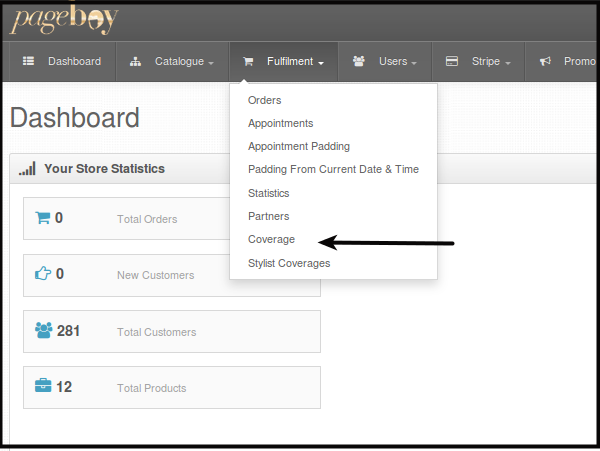
Click Coverage.
You will be directed to a page where you can see all the list of Zip Codes Registered on the system.
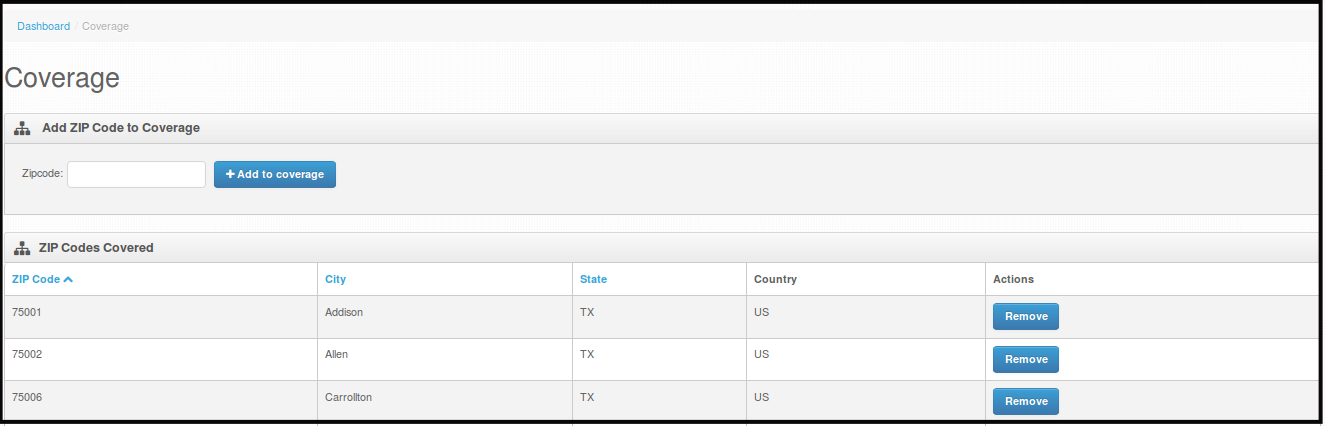
You will see Zip Code, City, State, Country and Action.
-
Note: If you add zip code, the location it covers will be automatically covered by your Pageboy App. Deleting a Zip code will automatically remove that location from the app coverage.
Adding a New Zip Code to Coverage
-
First, log in using your Admin credentials.
-
Click Fulfillment.
-
Click Coverage.
You will be directed to a page where you can see all the list of Zip Codes Registered on the system.
-
Enter a Zip code on Zipcode box. Then Click +Add to coverage.

-
Since Zip Code 10001 is for New York City, the system will automatically populate the details of the Zip Code and it will be automatically added to the list of Coverage.
How to Delete Zip Code from Coverage
-
First, log in using your Admin credentials.
-
Click Fulfillment.
-
Click Coverage.
You will be directed to a page where you can see all the list of Zip Codes Registered on the system.
-
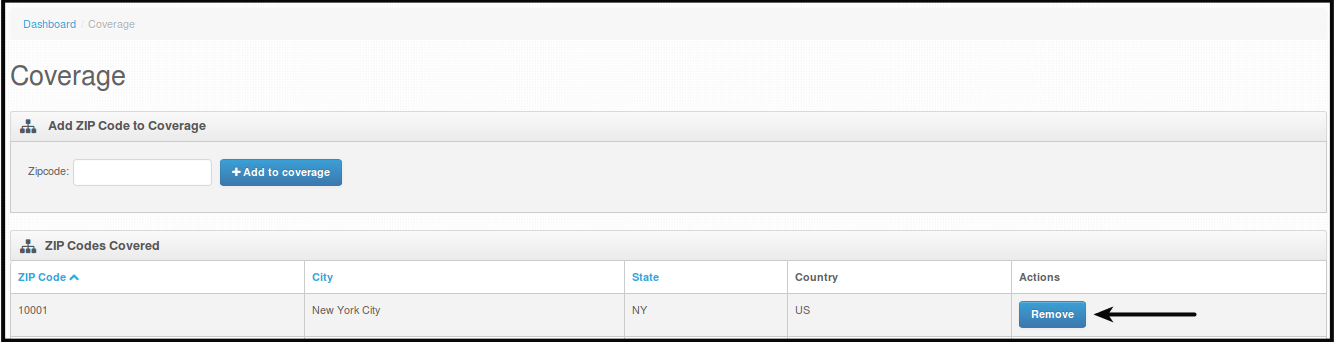
Click Remove to delete the zip code from your coverage.
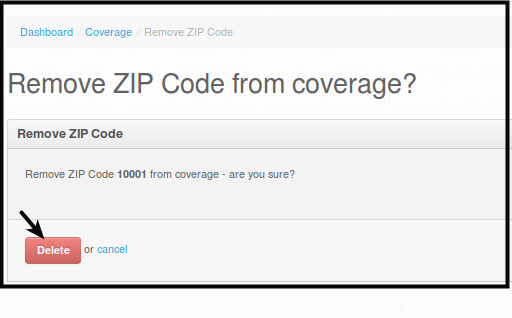
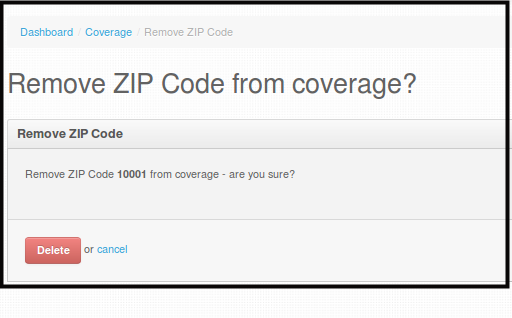
You will be directed to a page where you are asked if you really want to remove the Zip Code.
-
Click Delete, this will permanently delete the zip code from your coverage.