Stripe Balance
-
Stripe - it is a payment gateway that handles the process the payments made by Pageboy customers to Pageboy Bank account. Weekly all cleared payments are transferred to Pageboy Bank Account.
-
Stripe Balance - it is where we can see pending and processed payments from Pageboy customers. We need Stripe Balance to have certain amount daily to make sure that Stripe can process the payments for Gratuity of our Stylists on a daily basis depending on the services they catered.
How to view Stripe Transactions
-
Click Stripe

-
Click Stripe Transactions.

You will be directed to this page.
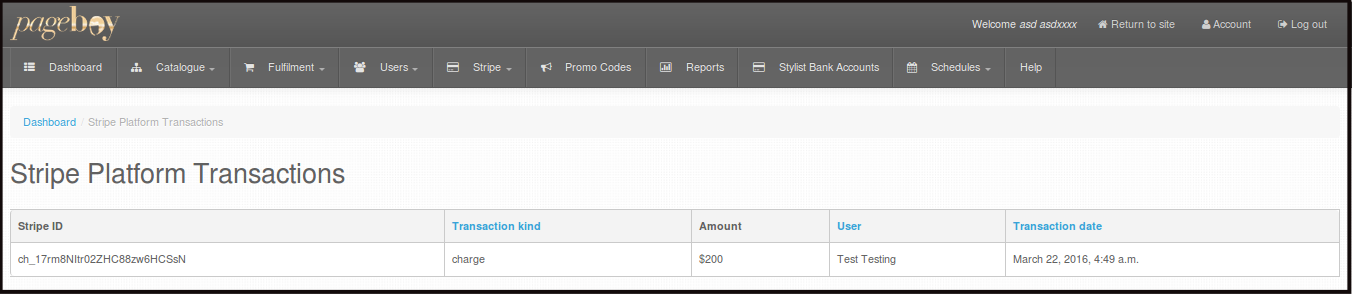
Here you ca see the Stripe ID, Transaction Kind/Type, Amount, User or Name of the person who transferred the money and Transaction date.
How to Add Stripe Balance
-
Stripe Balance - it is where we can see pending and processed payments from Pageboy customers. We need Stripe Balance to have certain amount daily to make sure that Stripe can process the payments for Gratuity of our Stylists on a daily basis depending on the services they catered.
-
Click Stripe
-
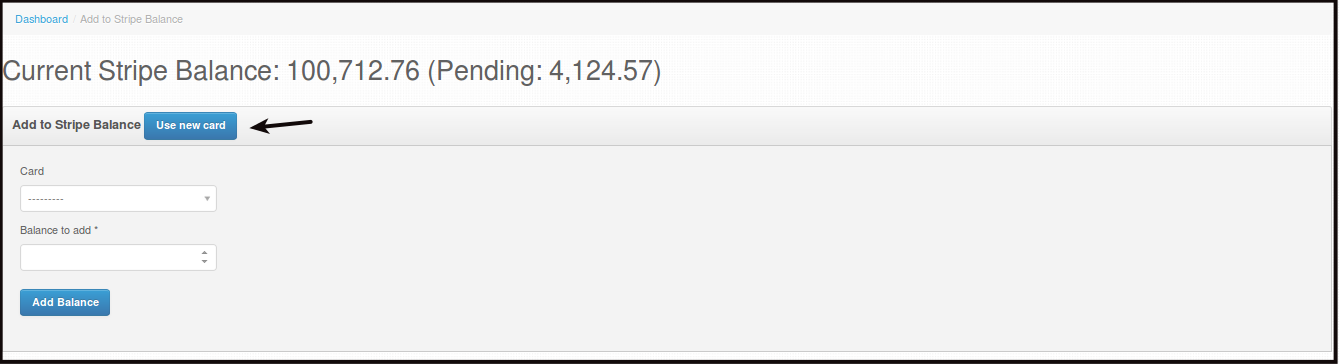
Click Add to Stripe Balance.

-
Click Use new card to add a new card where you will get the money to be transferred to Stripe Balance.
-
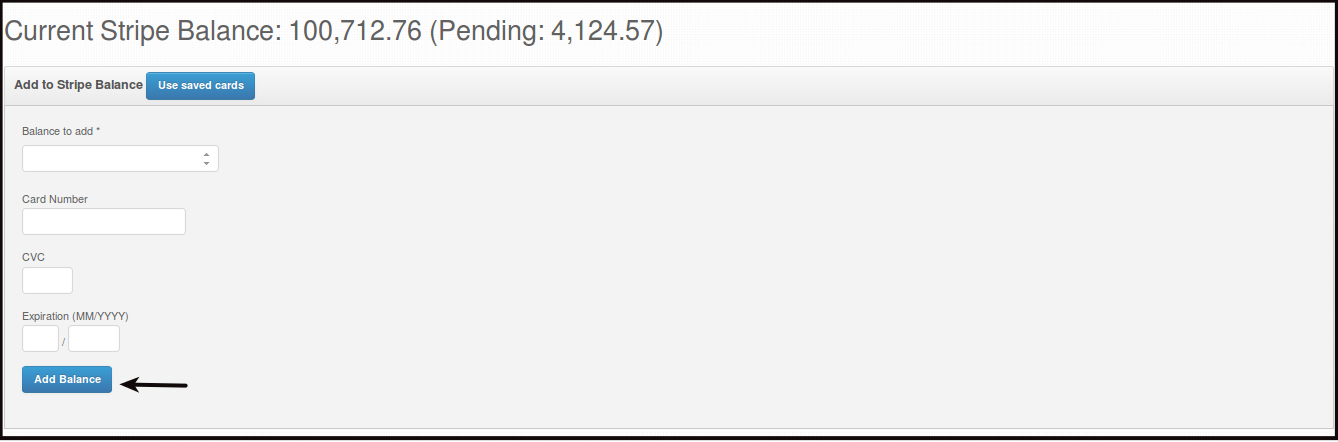
Fill out the details. Then click Add Balance.
-
Balance to add - the amount of money you want to transfer from your Bank Account to the Stripe Balance of the system.
-
Card Number - the credit card number to be used.
-
CVC - Card Verification Code of your credit card.
-
Expiration - expiration Month and Year of your credit card.
-
-
-
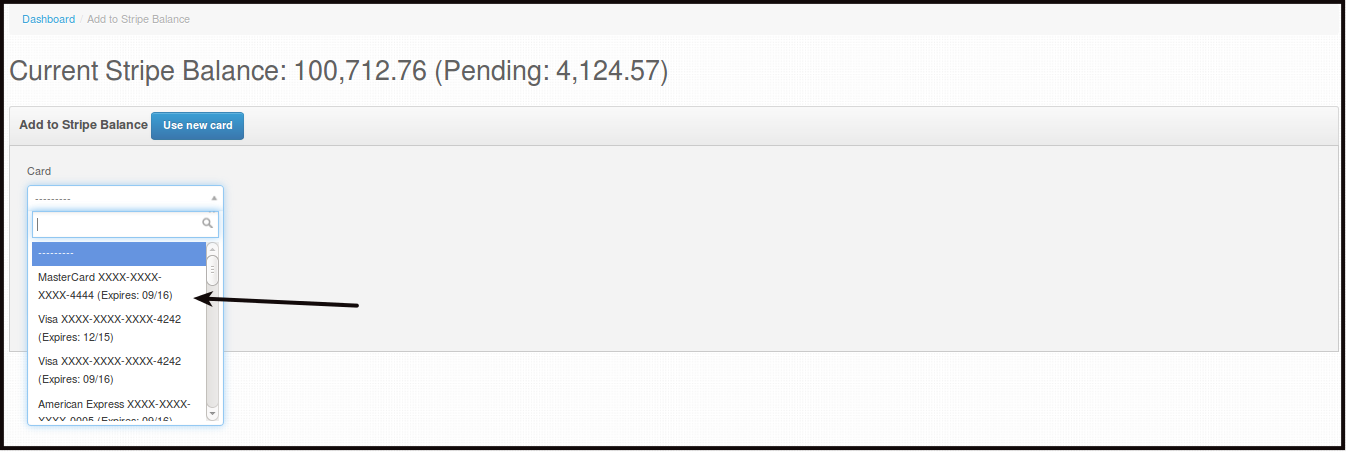
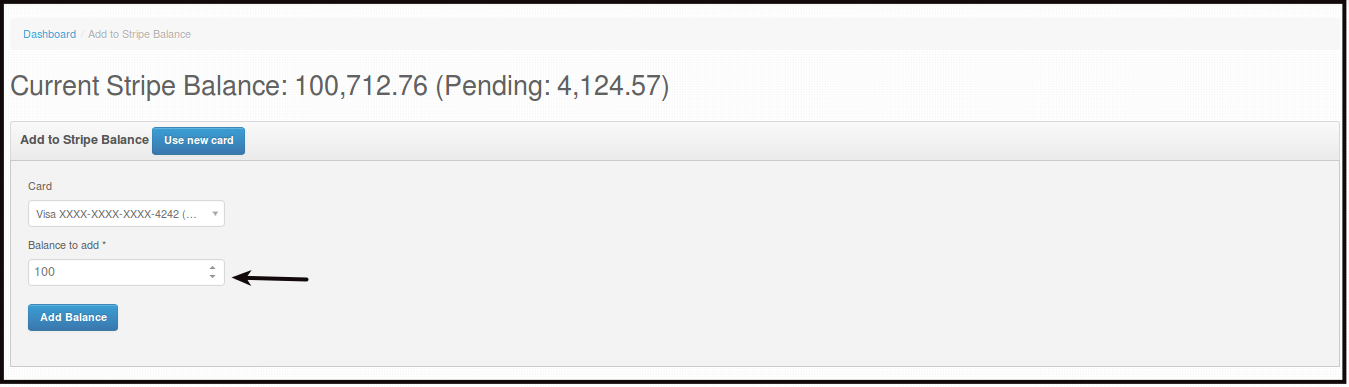
Or if you have used a card before that you want to use again. Click Card, then choose the card you want to use, you will see the last 4 of the card and the card's expiration month and year.
-
Make sure to enter the amount you want to transfer from your Bank Account to the Stripe Bank Account.
-
Click Add Balance.
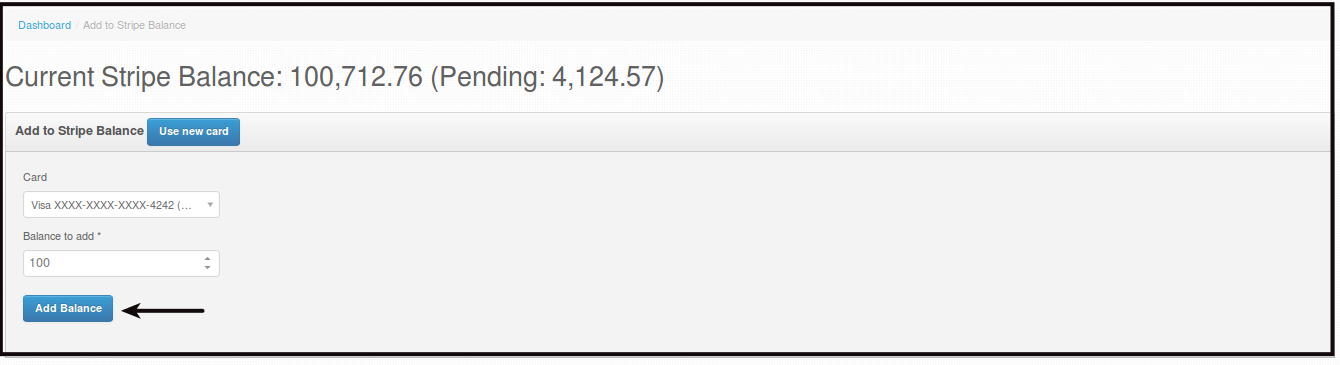
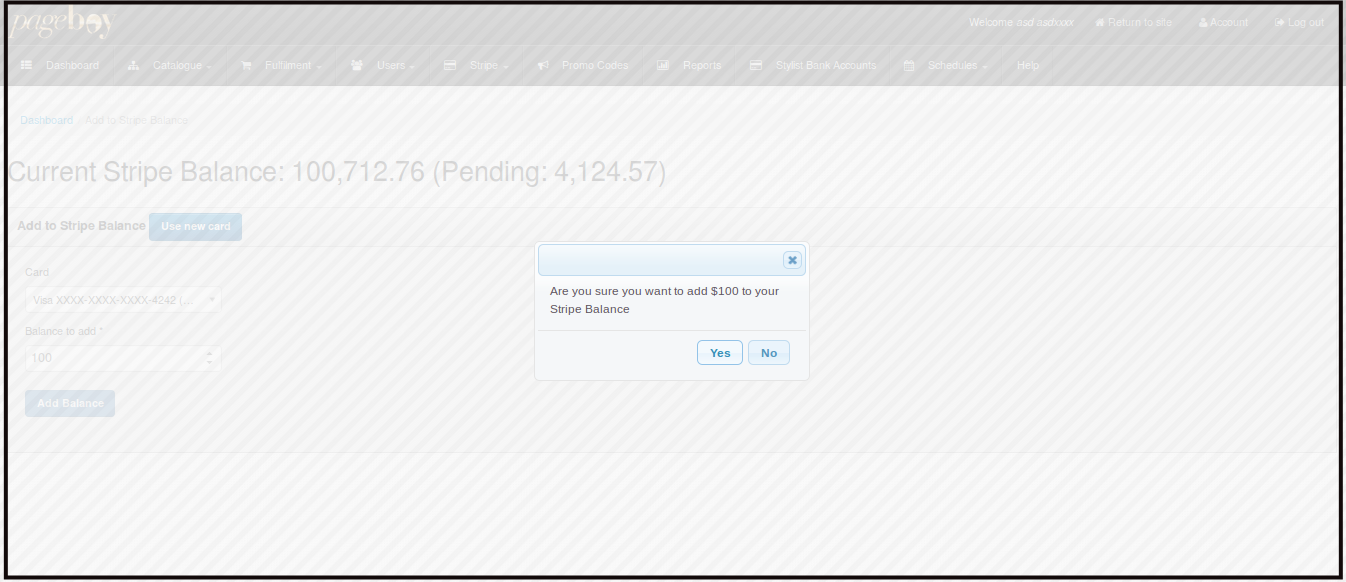
You will be directed to this page
-
Click Yes to confirm the transfer.
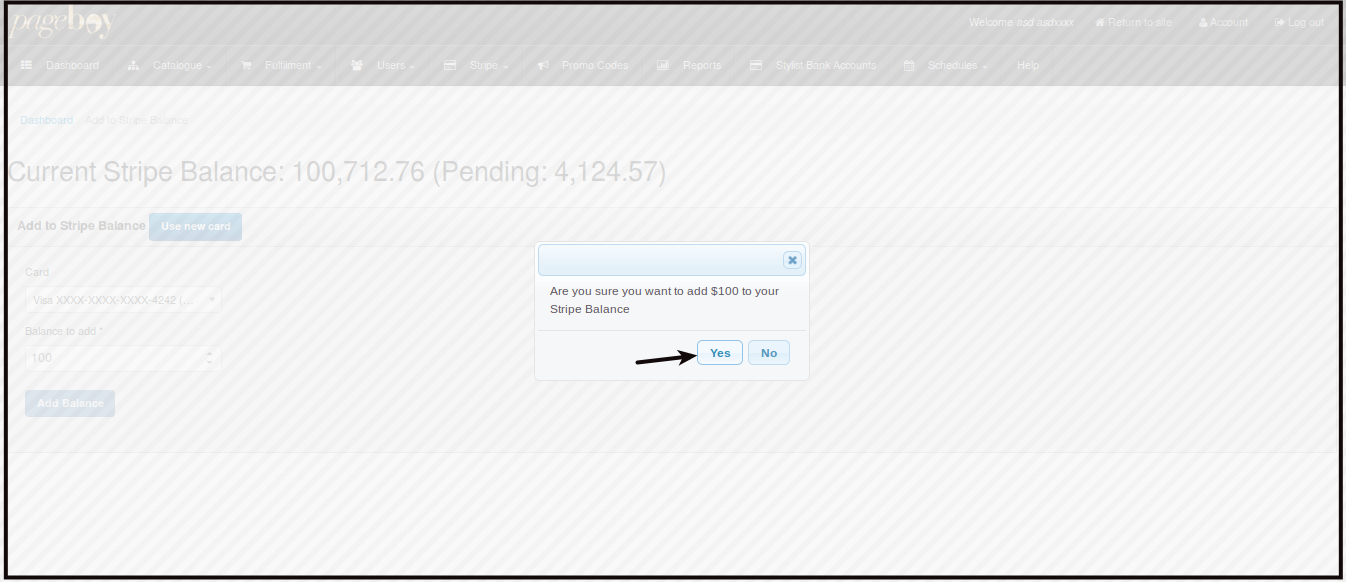
You will be directed to this page

Note: Please take note that there is a Stripe Transaction Fee depending on the amount being transferred.
-